
Download TruResume – AI‑Powered Resume Builder, ATS‑Optimized Templates, Free & Secure
Overview
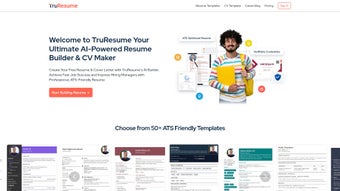
In today’s hyper‑competitive job market, a well‑crafted resume can be the difference between landing an interview and being filtered out by an Applicant Tracking System (ATS). TruResume answers that challenge with an AI‑driven web application that simplifies the entire resume creation process while keeping the output ATS‑friendly. The platform offers a library of professionally designed templates that are pre‑tested against the most common ATS algorithms, ensuring that keywords, formatting, and layout are optimized for maximum readability by hiring software.
Beyond resumes, TruResume also generates custom cover letters that align with specific job descriptions, allowing job seekers to highlight the most relevant skills and experiences for each application. Users can upload an existing resume to receive an instant “ATS score,” a transparent metric that pinpoints weak spots and provides actionable recommendations for improvement. The service extends into profile management, letting users store verifiable credentials, issue digital certificates, and keep a living professional portfolio that can be shared with recruiters at a click.
A dedicated career blog supplements the tool with expert advice on interview preparation, networking, and personal branding. The interface is clean, responsive, and intuitive, making it easy for anyone—from recent graduates to seasoned executives—to produce a polished, high‑impact resume in minutes. Whether you’re looking for a free solution or a premium upgrade with additional analytics, TruResume positions itself as a secure, constantly updated, and user‑centric tool for modern job seekers.
Key Features & How They Work
- AI‑Generated ATS‑Optimized Templates – Choose from dozens of modern designs that automatically adjust font size, bullet style, and keyword density to match the requirements of popular ATS platforms such as Taleo, Workday, and Greenhouse.
- Instant ATS Score Analyzer – Upload any existing resume and receive a detailed report showing compatibility, missing keywords, and formatting issues, along with step‑by‑step suggestions for improvement.
- Custom Cover Letter Builder – Input the job title and company name; TruResume’s language model crafts a personalized cover letter that mirrors the tone of the posting while showcasing your unique value proposition.
- Verifiable Credential Hub – Store digital certificates, badges, and endorsements in a secure cloud vault; each credential can be verified by employers through a unique QR code or blockchain‑based link.
- Career Blog & Resource Center – Access weekly articles, video tutorials, and interview checklists that keep you informed about the latest hiring trends and best practices.
- One‑Click Export Options – Download your resume in PDF, DOCX, or plain‑text formats, or share a live, password‑protected link that updates automatically whenever you edit the document.
- Secure Cloud Storage & Auto‑Save – All edits are saved in real time to an encrypted server, eliminating the risk of data loss and allowing you to work from any device.
- Free Tier with Premium Upgrade – The core resume and cover letter builder is free, while the premium plan unlocks advanced analytics, unlimited template access, and priority support.
Each feature is built around the core principle of reducing friction for the job seeker. The AI engine scans the job description you paste into the platform, extracts the most relevant keywords, and then suggests where to place them in your resume for optimal ATS parsing. The template library is not a static collection; it receives quarterly updates based on feedback from HR professionals and changes in ATS algorithms, ensuring that your document stays current with industry standards.
The credential hub leverages modern verification technologies, allowing you to attach proof of certifications from platforms like Coursera, LinkedIn Learning, or industry‑specific bodies without exposing personal data. Meanwhile, the career blog serves as an educational backbone, offering evidence‑based guidance that helps users understand why each recommendation matters, not just what to do. By bundling these capabilities into a single, web‑based solution, TruResume eliminates the need for multiple subscriptions, third‑party editors, or manual formatting, delivering a seamless end‑to‑end experience that saves time, reduces anxiety, and boosts confidence during the job search.
Installation, Usage & Compatibility
TruResume is a cloud‑native web application, which means there is no traditional “installation” process. Users simply navigate to truresume.com, create a free account using an email address or social login (Google, LinkedIn, or Apple), and begin building instantly. The onboarding wizard walks new users through a three‑step process: (1) select a template, (2) fill in personal details, and (3) customize sections such as work experience, education, and skills. The AI assistant appears on the right‑hand side, offering real‑time suggestions based on the content you type. If you already have a resume, you can click “Upload & Analyze” to receive the ATS score and a prioritized list of edits.
Because TruResume runs entirely in the browser, it works on any modern operating system that supports HTML5, CSS3, and JavaScript. This includes Windows 10/11, macOS Ventura and later, Linux distributions, as well as mobile platforms such as Android 12+ and iOS 15+. The responsive design automatically adjusts the layout for tablets and smartphones, allowing you to fine‑tune your resume on the go. For power users who prefer a desktop‑like experience, TruResume offers a progressive web app (PWA) installation option. By clicking “Add to Home Screen” in Chrome, Edge, or Safari, the platform registers as a standalone app with offline caching for editing while you’re disconnected from the internet. Once you reconnect, all changes sync automatically to the cloud.
The usage workflow is intentionally straightforward. After selecting a template, you can drag‑and‑drop sections to reorder them, click any placeholder text to edit, and use the “Skills Matcher” tool to align your competencies with the job description you paste into the side panel. When you’re satisfied, the “Export” button presents multiple download formats.
The free tier limits exports to PDF and DOCX, while the premium plan adds a live link that updates in real time as you make edits—a useful feature for recruiters who prefer a URL over attachments. Security is a top priority: all data transmission is encrypted with TLS 1.3, and stored files are protected by AES‑256 encryption. Users can also enable two‑factor authentication (2FA) for an extra layer of protection.
Overall, TruResume delivers a frictionless, cross‑platform experience that lets anyone—from students to senior executives—create, refine, and share a professional resume in minutes.
Pros, Cons, Frequently Asked Questions & Final Verdict
Pros
- AI‑driven ATS optimization dramatically improves the chances of passing recruiter filters.
- Free core features make it accessible to job seekers on a tight budget.
- Responsive web design works on Windows, macOS, Linux, Android, and iOS without additional software.
- Instant ATS score provides actionable insights, not just generic advice.
- Integrated credential hub and digital certificate verification add credibility.
- Regular template updates keep the design modern and ATS‑compliant.
- Secure cloud storage with end‑to‑end encryption protects personal data.
- Comprehensive career blog offers ongoing education and job‑search tips.
Cons
- Advanced analytics and unlimited template access require a paid subscription.
- Internet connection is required for full functionality (offline mode limited).
- While the AI suggestions are strong, they may occasionally miss niche industry jargon.
- Export options are limited to PDF/DOCX in the free tier; no direct LinkedIn integration yet.
- Customization beyond the provided templates (e.g., custom colors) is restricted to premium users.
Frequently Asked Questions
Is TruResume really free to use?
Yes, the basic resume and cover‑letter builder, along with the ATS score analyzer, are completely free. Premium features such as unlimited template access, advanced analytics, and priority support are available through a paid subscription.
Can I export my resume in a format that recruiters can edit?
TruResume offers PDF and DOCX exports. The DOCX file can be opened in Microsoft Word or Google Docs, allowing recruiters to make minor edits if needed.
How does the ATS score work?
When you upload a resume, TruResume scans it against the job description you provide, comparing keyword presence, section order, and formatting against known ATS parsing rules. It then returns a percentage score and a list of specific recommendations.
Is my data safe on TruResume?
All data is transmitted over TLS 1.3 and stored encrypted with AES‑256. You can enable two‑factor authentication, and the platform complies with GDPR and CCPA regulations.
Can I use TruResume on mobile devices?
Absolutely. The web app is fully responsive and works on Android and iOS browsers. You can also add it as a Progressive Web App for a native‑like experience.
Final Verdict & Call to Action
TruResume stands out as a comprehensive, AI‑enhanced solution that bridges the gap between a polished visual resume and the technical demands of modern ATS software. Its free tier provides enough power for most job seekers to create a professional document, while the premium upgrade unlocks deeper analytics and a broader template library for power users. The seamless cross‑platform compatibility, secure cloud storage, and integrated credential verification make it a forward‑thinking tool that grows with your career. If you’re ready to boost your interview rate and present a data‑driven, recruiter‑friendly profile, the best next step is simple: visit the official site, sign up for a free account, and start building your optimized resume today.



.png)



